
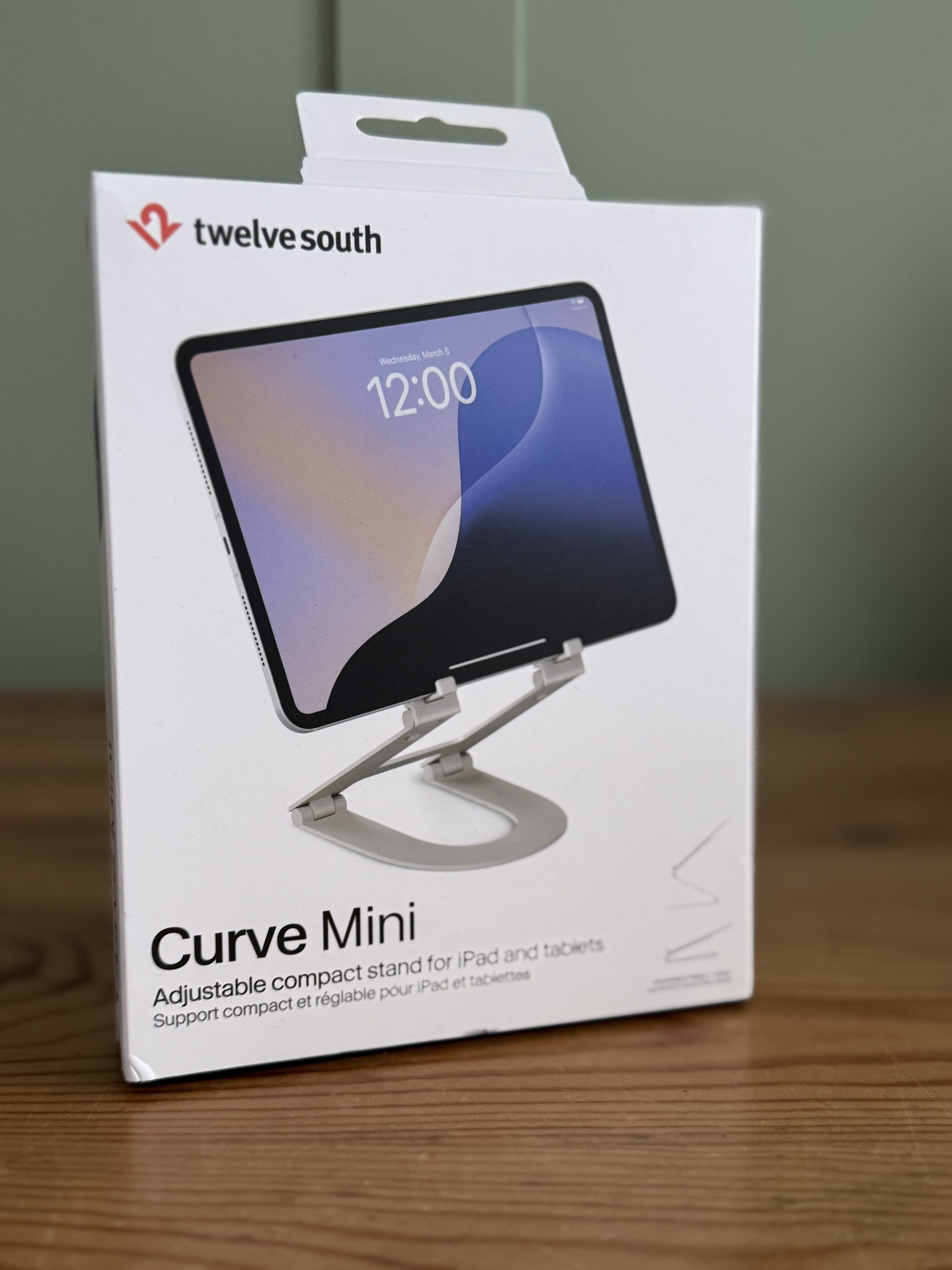
 Yes, another tablet stand. But before you roll your eyes and hit the back button, hear me out: the Curve Mini isn’t trying to be the most complicated gadget on your desk. It’s trying to be the one you actually keep in your bag and use every single day. That’s a very different ambition, and one Twelve South mostly pulls off.
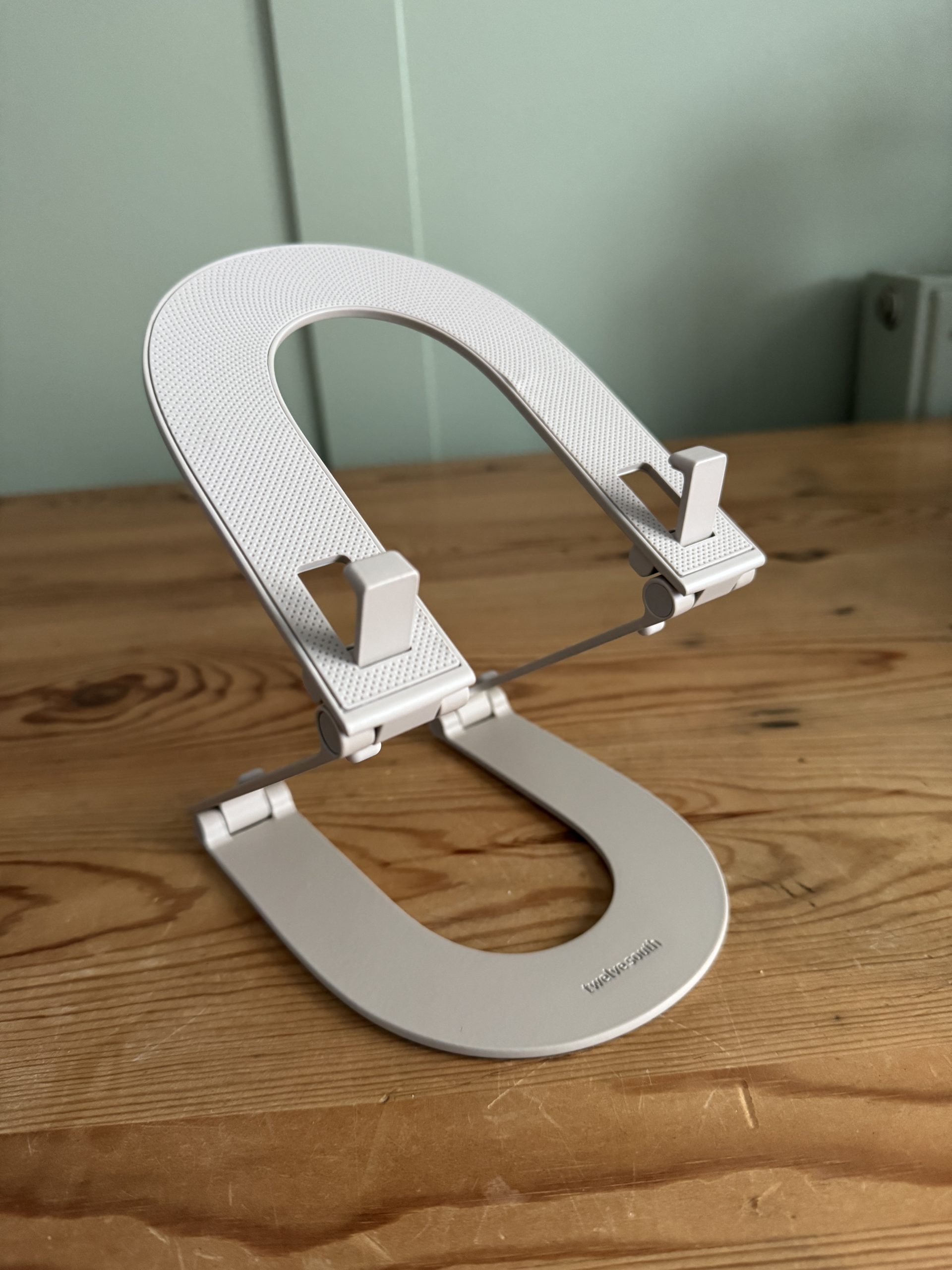
Specs:-
- Material: Anodised aluminium with silicone padding.
- Max elevation: Up to ~6 inches (per Twelve South).
- Weight: ~240 g / 0.24 kg.
- Fold-flat design with dual-hinge adjustable angles.
- Colours: Slate, Dune, Coastal Blue (varies by market).
I’ve been using the Curve Mini for a couple of weeks — on trains, in cafés, at my (messy) desk and while trying to sketch on an Galaxy Tab S9 Ultra — and in this review I’ll walk you through what it does, how it feels, who should buy it, and where it falls short. If you want the TL;DR: it’s nicely made, surprisingly stable for its size, and a really convenient companion for people who treat their iPad as more than just a streaming slab. Read on for the detail.
What is the Curve Mini?
The Curve Mini is a compact, fold-flat tablet stand from Twelve South that lifts your tablet or e-reader by up to around 6 inches and allows both portrait and landscape positioning. It’s made from anodised aluminium, has silicone padding where your tablet rests, and collapses flat so it can be slipped into the bundled travel sleeve for safe transport. It’s available in a few matte colourways and sits at a price point aimed at people who want a premium-feeling accessory rather than the cheapest plastic stand.
What I liked
- Solid materials and finish — aluminium and silicone make it feel premium and durable.
- Useful height & angle range — raises tablets to a usable height for typing and video calls (up to about 6″ elevation per Twelve South).
- Excellent portability — folds flat and the sleeve is genuinely handy for travel.
- Stable for everyday tasks — typing, sketching, watching video; it’s steady enough for normal use.
- Looks the part — if you care about aesthetic coherence with other devices and accessories, the Curve Mini fits in nicely.
What I didn’t love / room for improvement
- Not for the biggest iPad Pros — while it supports many tablets, the largest 12.9″ iPads (especially in cases) may be close to the limit and could reduce stability. If you own a massive iPad, test in person.
- Price vs. basic plastic stands — at its premium-feeling price, some buyers will want absolute rock-solid rigidity or additional features (charging integration, etc.). This is a portable, ergonomic tool, not a multi-function charging hub.
- Flex under heavy pressure — it’s plenty good for normal sketching and tapping but if you’re an aggressive sketcher or you pound on the touchscreen, you’ll feel some give. That’s true for most portable stands.
Design & build — premium without showboating
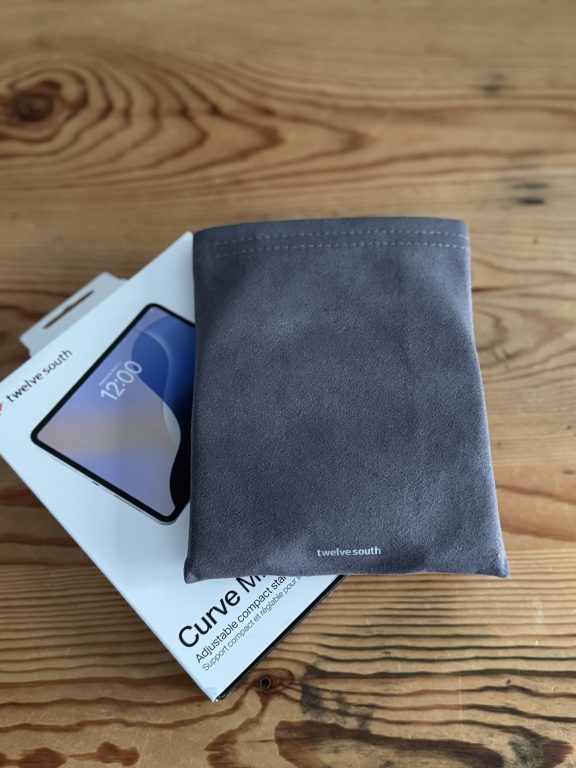
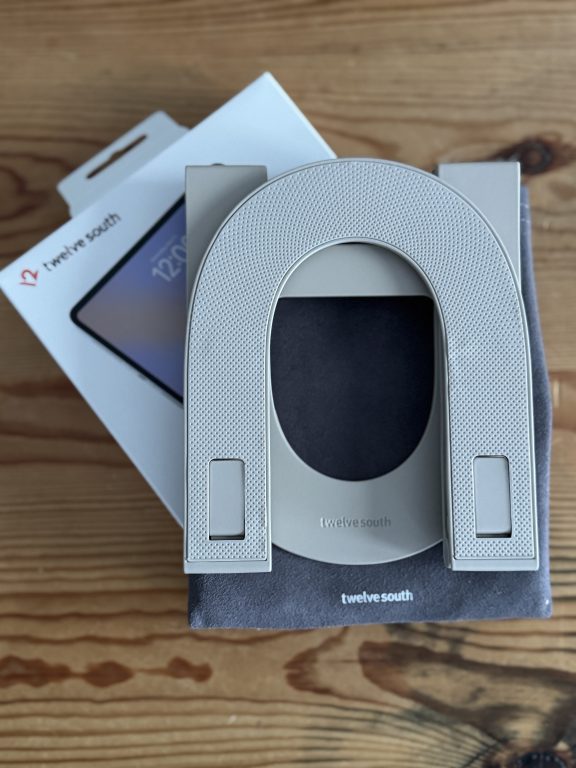
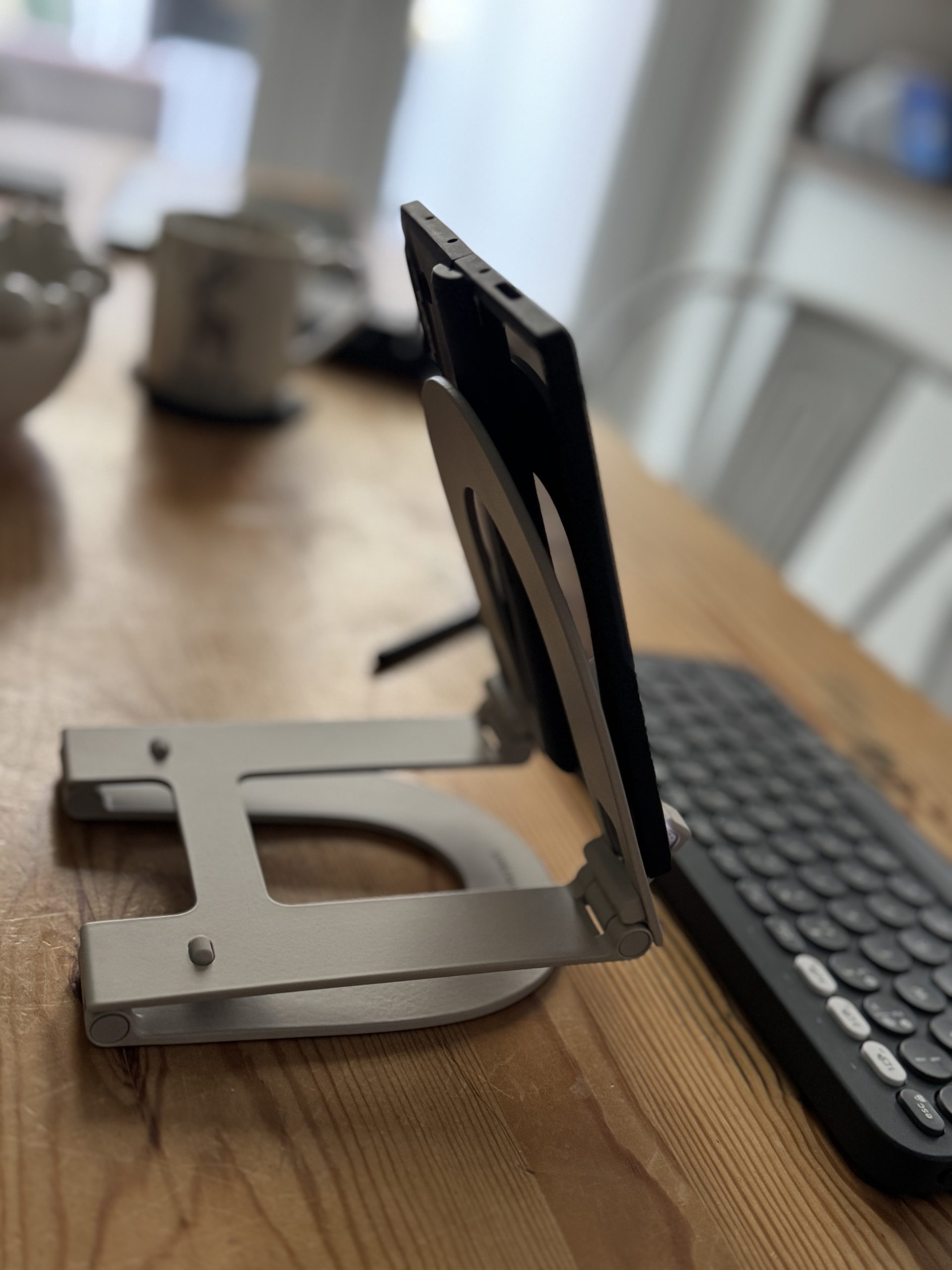
First impressions matter, and the Curve Mini’s are good. Twelve South has leaned into a minimalist aluminium look that matches Apple-esque accessories: clean lines, soft matte finish, and no unnecessary frippery. The dual-hinge mechanism is the centrepiece — it looks neat, moves smoothly and gives the stand a more substantial feel than its folded profile suggests. The silicone pads where the tablet sits stop slippage and prevent scratches; the underside has a grippy material so the whole thing doesn’t walk off your desk. The unit folds completely flat and slips into a small fabric sleeve that comes in the box — the kind of practical touch I always appreciate when I’m carrying things around all day.
It weighs in at about 240g (Twelve South quotes 0.24kg), which is light enough to carry and heavy enough to feel like it won’t constantly flop around in your bag. The hinges are crisp and feel engineered rather than toy-like; there’s just enough resistance that the stand holds position without being stiff to adjust. If you’re used to flimsy folding stands that require two hands and a curse to set up, you’ll notice the difference.
What’s in the box
Curve Mini stand
Fabric travel sleeve
Quick-start leaflet
Nice and simple. No chargers or cables (obviously) — it’s a stand, not a hub.
How it feels in everyday use
Here’s where the Curve Mini wins: ergonomics and convenience. Pop your tablet on it at a café table and, suddenly, the screen is at a usable height for typing on a Bluetooth keyboard or joining a video call without slouching over your device. The raised camera position is subtle, but it does make video calls feel less like you’re talking to someone through a pancake on the table.
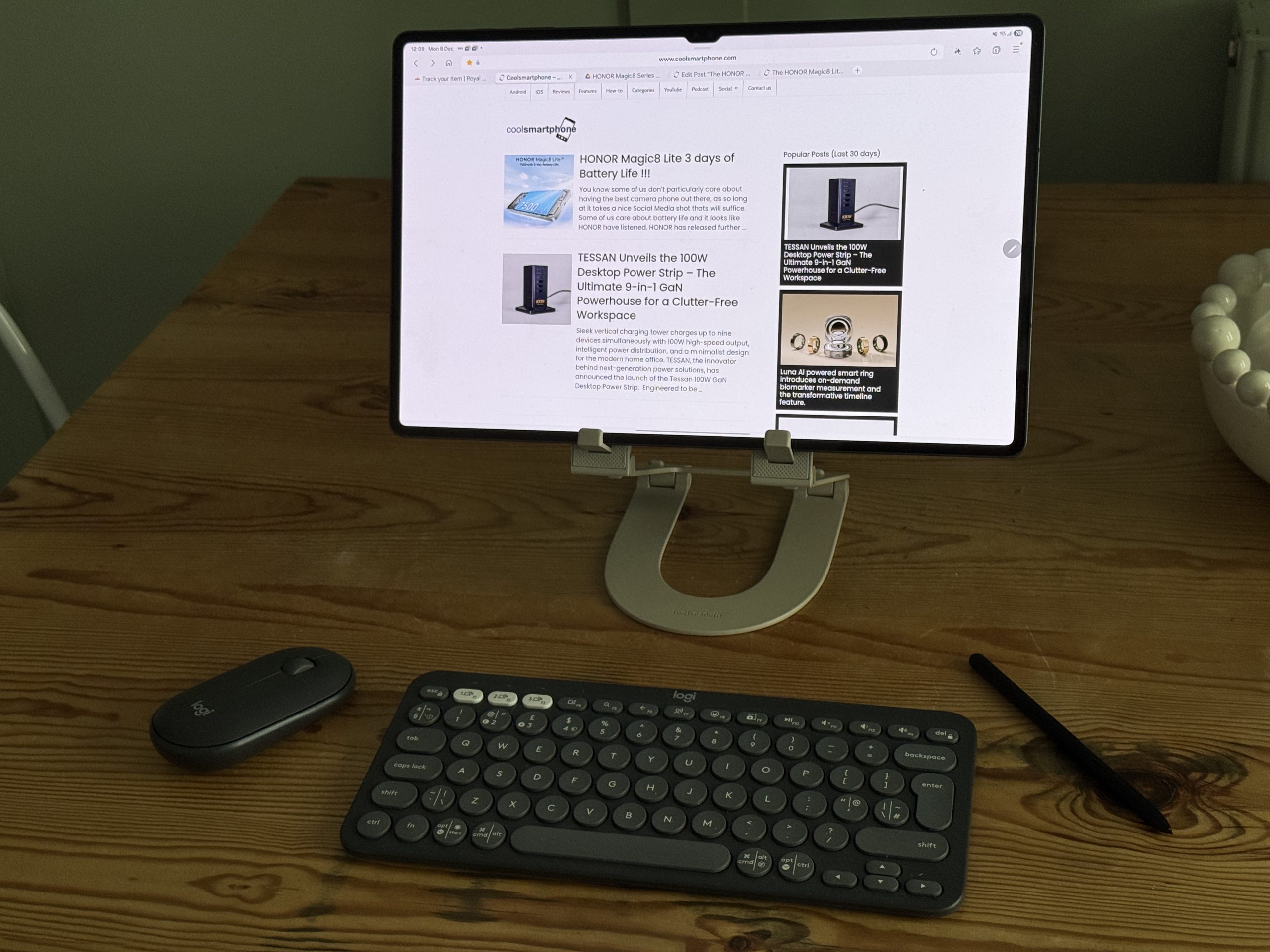
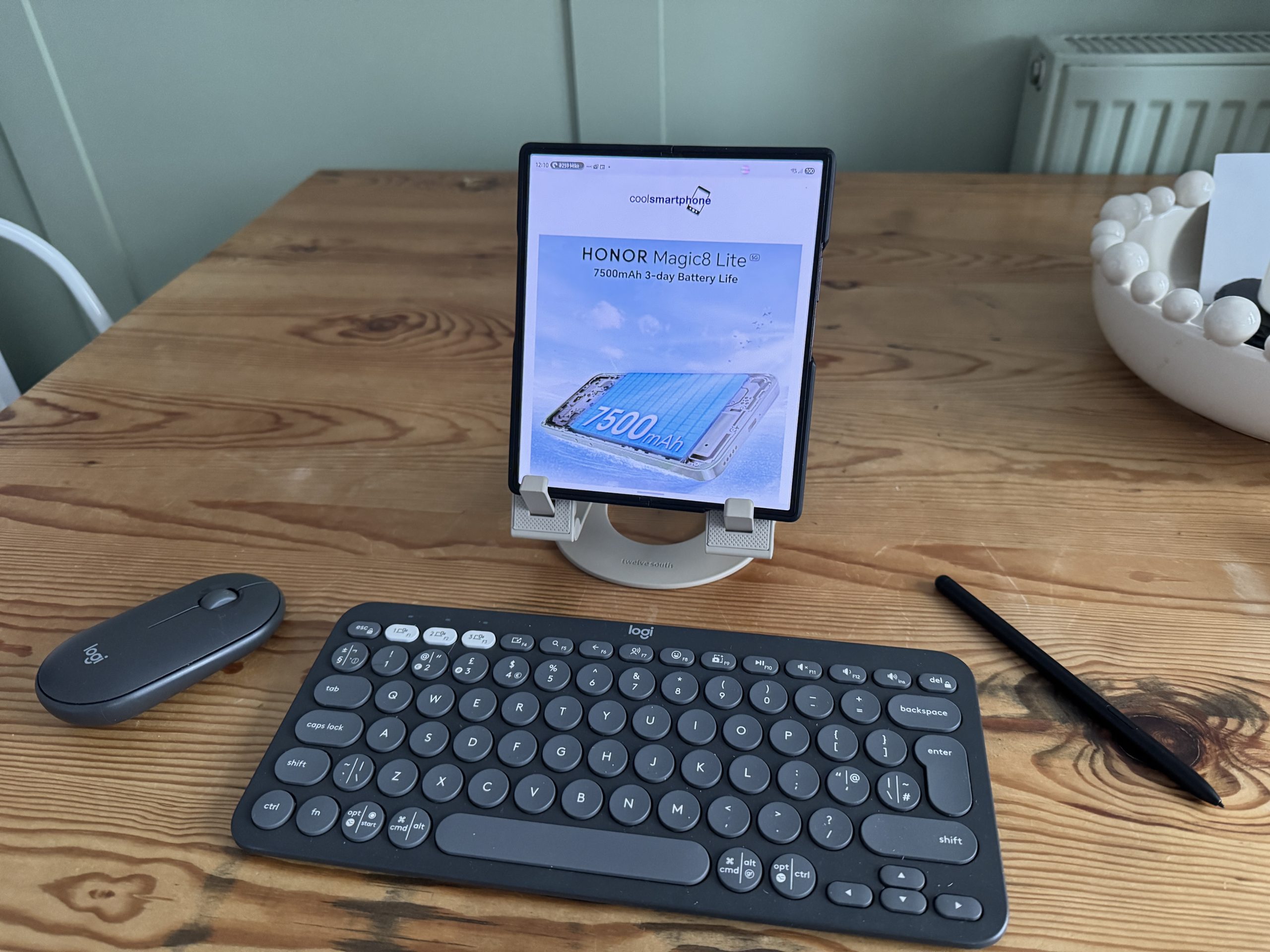
I tested it with Galaxy Tab S9 Ultra, Tab A9 and Fold 6 . The Curve Mini handled all three comfortably in landscape and portrait — although very large tablets or devices with chunky cases can push the limits. If you have the biggest tablet or an unusual case that extends below the screen edge, double-check dimensions in person or via a shop demo. In everyday café and desk use, the Mini felt stable: typing with a lightweight Bluetooth keyboard and using an SPen for sketching were both practical. The silicone pads prevent rubbing and stop the device creeping forward when you prod the screen. (If you bash the screen hard while sketching, you’ll still feel movement — no small stand is magic.)
The dual-hinge adjustment is the thing I came back to most. It’s not infinite — there are practical ranges where the top and bottom arms settle — but it lets you find a range of angles suitable for reading, sketching at a lower angle, or holding the screen upright for video. The motion is controlled, and the stand doesn’t wobble annoyingly while you tap or swipe. That is worth more than it sounds; cheap collapsible stands often frustrate you out of using them.
Portability — actually useful on the go
Twelve South has clearly tried to make a travel-friendly stand that people will actually bring on trips. The Curve Mini folds flat and the sleeve protects the finish and the hinges. The size is small enough to disappear into a messenger bag or even a jacket pocket if you’re not carrying much else. Weighing 240g also means it’s barely a penalty in your kit.
I took it on a couple of train journeys and it was a game changer compared with propping the Tab on a folded magazine or using the annoying tray table wobble method. It sets up faster than pop-on magnetic stands and gives a more stable typing surface than folio cases that tilt only at a small angle.
One minor quibble: when folded, the Mini’s profile is slim but not ultra-slim. If you demand the absolute slimmest pocketability (think credit-card-sized kickstands), this isn’t it. But for a proper, usable tablet stand that still tucks away neatly, it’s a very sensible compromise.
Comparisons: Curve Mini vs Curve Nano vs Curve Flex
Twelve South has a family of “Curve” stands, so it’s worth comparing them briefly:
Curve Nano: tiny, made for phones (MagSafe and Qi2-friendly versions exist). Pocketable and simple, it’s great for propping phones but it’s not a tablet solution. If you mainly want a phone stand, the Nano is the thing.
Curve Mini: this review subject — designed for tablets, fold-flat, travels well, lifts the screen higher and offers better typing/sketching ergonomics than a phone stand.
Curve Flex / Curve (full-size): larger stands aimed at laptops or full desk setups, offering more height/rigidity for heavier devices. They’re less travel-friendly but more rigid for heavy-duty desktop use. If you want a workstation-grade stand that sits on your desk permanently, one of these may be the better option.
So: Nano for phones, Mini for mobile tablet productivity, Flex/Curve for full-time desks.
Real-world tests I ran
I tried the Curve Mini with a few different tasks to see where it’s strong and where it shows its limits:
1. Video calls — Placing my Tab on the Mini gives a noticeably better camera angle than when the Tab flat on a table. No dramatic magic, but it removes the “chin view” and feels more natural. The stand was stable for a one-hour call with headphones on.
2. Typing with Bluetooth keyboard — The Mini raises the tablet enough that typing on an external keyboard is comfortable, especially when you’re using the Tablet as a second device rather than cradling it. The setup felt very much like a proper mini workstation.
3. Sketching with SPen — With the lower-angle configuration, the Mini is good enough for casual sketching and note-taking. If you press too hard or try to do heavy-handed illustration, you feel flex; for most scribbles and workflows it’s fine.
4. Travel test (train & café) — Quick to set up, simple to pack away, and the sleeve kept the finish clean. No problems with scratches or hinge rattles after multiple uses.
These are not lab measurements; they’re practical, everyday impressions. The stand is not designed to hold a 14″ detachable laptop and survive aggressive poking — it’s a tablet/e-reader accessory — and in that context it behaves exactly how you’d hope.
Who is the Curve Mini for?
Remote workers and digital nomads who carry a tablet and a Bluetooth keyboard and want a legit portable workstation.
Students who use an iPad for notes and want something better than balancing their device on a stack of books.
Creatives who sketch casually — good for sketching on the go at a lower angle; not a replacement for a dedicated drafting table but very handy.
Anyone who hates flappy folio cases and wants a more flexible, ergonomic setup when they’re away from their desk.
It’s not for people who only use a phone, nor for those who need a permanent ultra-rigid desktop solution for heavy tapping — there are other Curve family members and products better suited to those use cases.
Price and availability
Twelve South lists the Curve Mini on its product site; retail price varies slightly by region, currently £49 on Amazon It’s available through Twelve South’s own store and authorised retailers. UK/European pricing and availability are in-line with other Twelve South launches (and the stand is offered in multiple matte finishes). If you’re budget-constrained and don’t travel with a tablet, cheaper plastic alternatives exist — but they won’t match the Mini’s build quality or aesthetics.
Verdict
Twelve South’s Curve Mini does one thing — elevate and stabilise your tablet — and it does it with style, convenience and real-world thoughtfulness. The aluminium build and dual-hinge design mean it feels like a proper accessory, not an afterthought. It travels well, sets up quickly, improves your posture and makes video calls and typing far more pleasant. There are limits — the biggest iPad Pros may push its envelope, and ultra-heavy-handed sketching will show some flex — but for the vast majority of tablet users who want a portable productivity boost, it’s a worthwhile buy.
If you want a compact, travel-friendly tablet stand that looks good and actually gets used, the Curve Mini is one of the better options you’ll find. Score: 8/10 — excellent materials and ergonomics, slightly held back only by its physical limits for the largest tablets and its premium price relative to the cheapest stands.