
There are lots of things to cover on the brand new HTC One device but one of them seems to be getting a lot of attention so far and that is BinkFeed.
Views on this new idea are split with many people hating the idea and wanting to keep a more traditional homescreen and others seem to want to at least give it a try and see if it can help in day by day tasks.
So first of all what exactly is BlinkFeed? Well it is the new homescreen default which pulls in lots of key information based on how you set it up
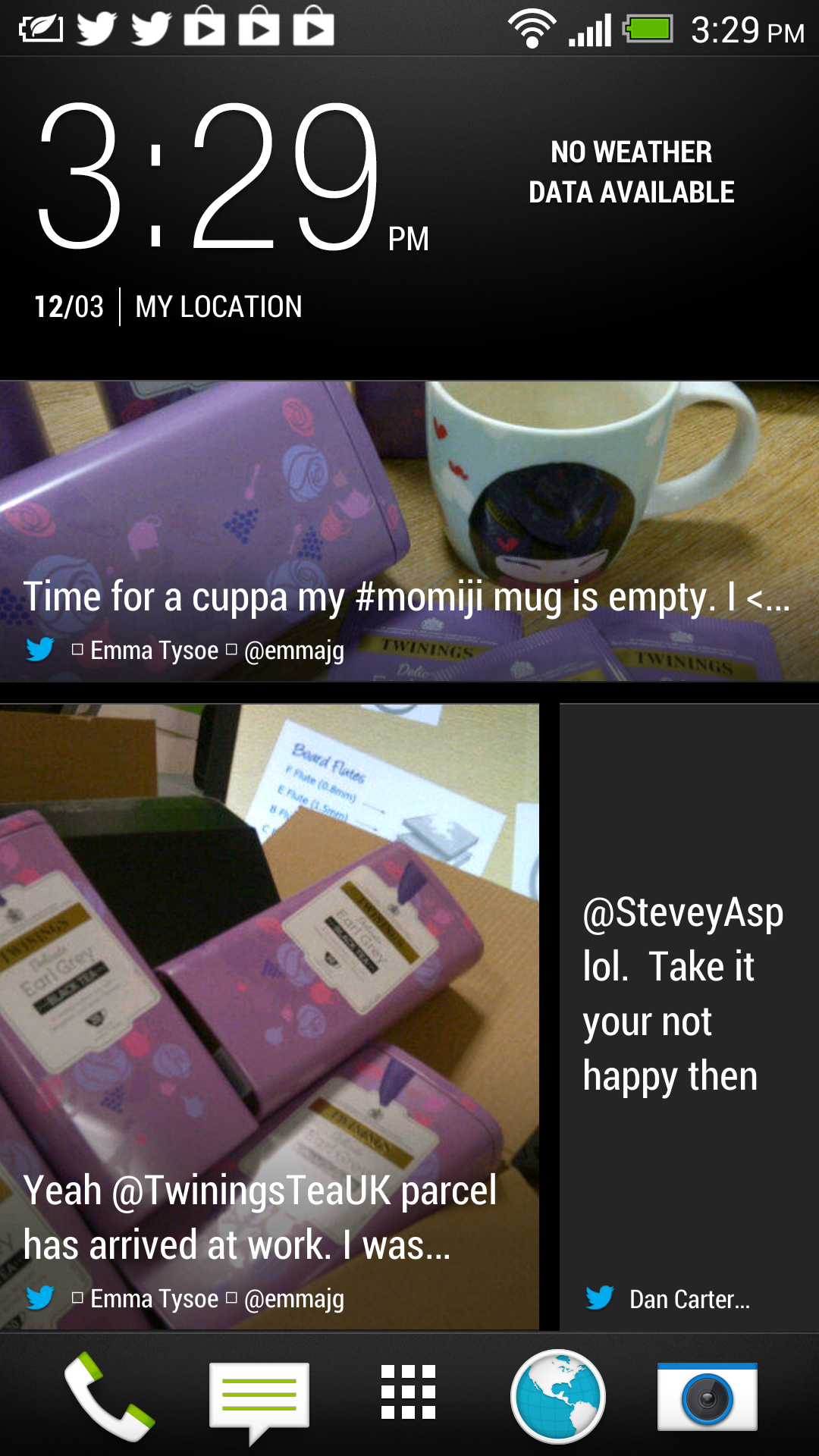
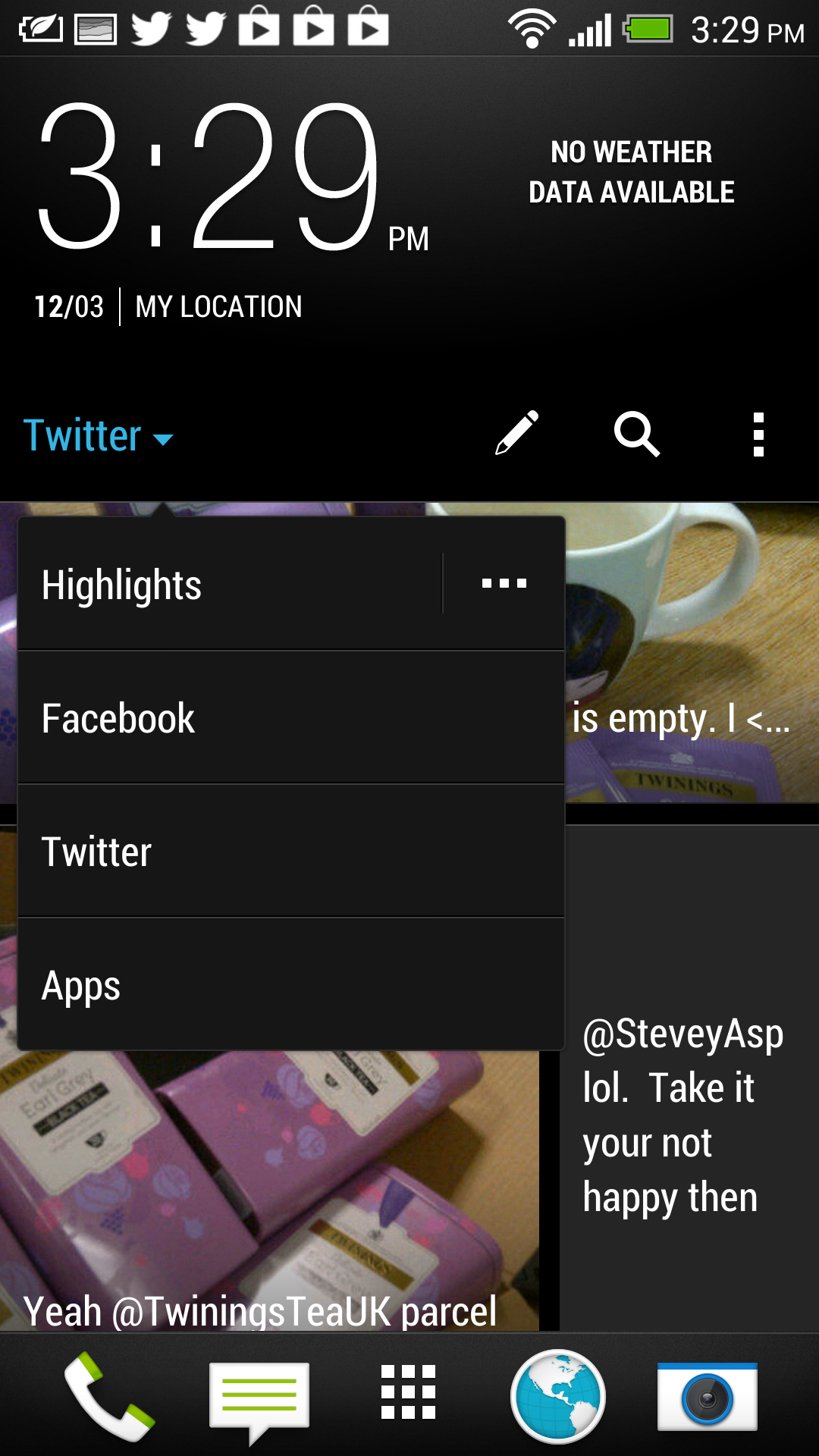
I have set my review device up with just my Twitter and Facebook accounts and it brings all my latest tweets or Facebook updates onto one simple screen you can scroll up or down.
You do have other options though such as a whole host of news websites you can add to this feed and get all your important daily updates in one single place. The default setup for BlinkFeed is the clock at the top left hand side and weather updates on the right.
When it comes to a list of content you can pick headlines from:
- The Guardian
- The Independent
- Reuters
- BANG Showbiz
- Vice
- Clash
- I Like Music
- MOBO
- UEFA.com
- CNET
- TechCrunch
If these are not taking your fancy you can also select from a list of different subjects like Technology and see a lot more content if you so wish. Something which is disappointing is the fact you cannot add your own RSS feeds to the list, especially if you rely on RSS for your daily mobile news consumption.
Considering this service is just pulling in feeds from selected sites it should not be hard for HTC to update this in the future and allow you to add you’r own feeds, hopefully this wil be added as it really takes away from what could be an even better service.
Under this is the long list of updates taken from your online sources including images if these have been included in tweets or updates on Facebook.
Under this long list is your 5 main buttons for Phone, Messaging, Menu, Web and Camera but these can be changed.
Swipe to the left an you have your normal style screen which allows you to access shortcuts and lots of widgets including the famous HTC weather clock widget seen on many of their phones already.
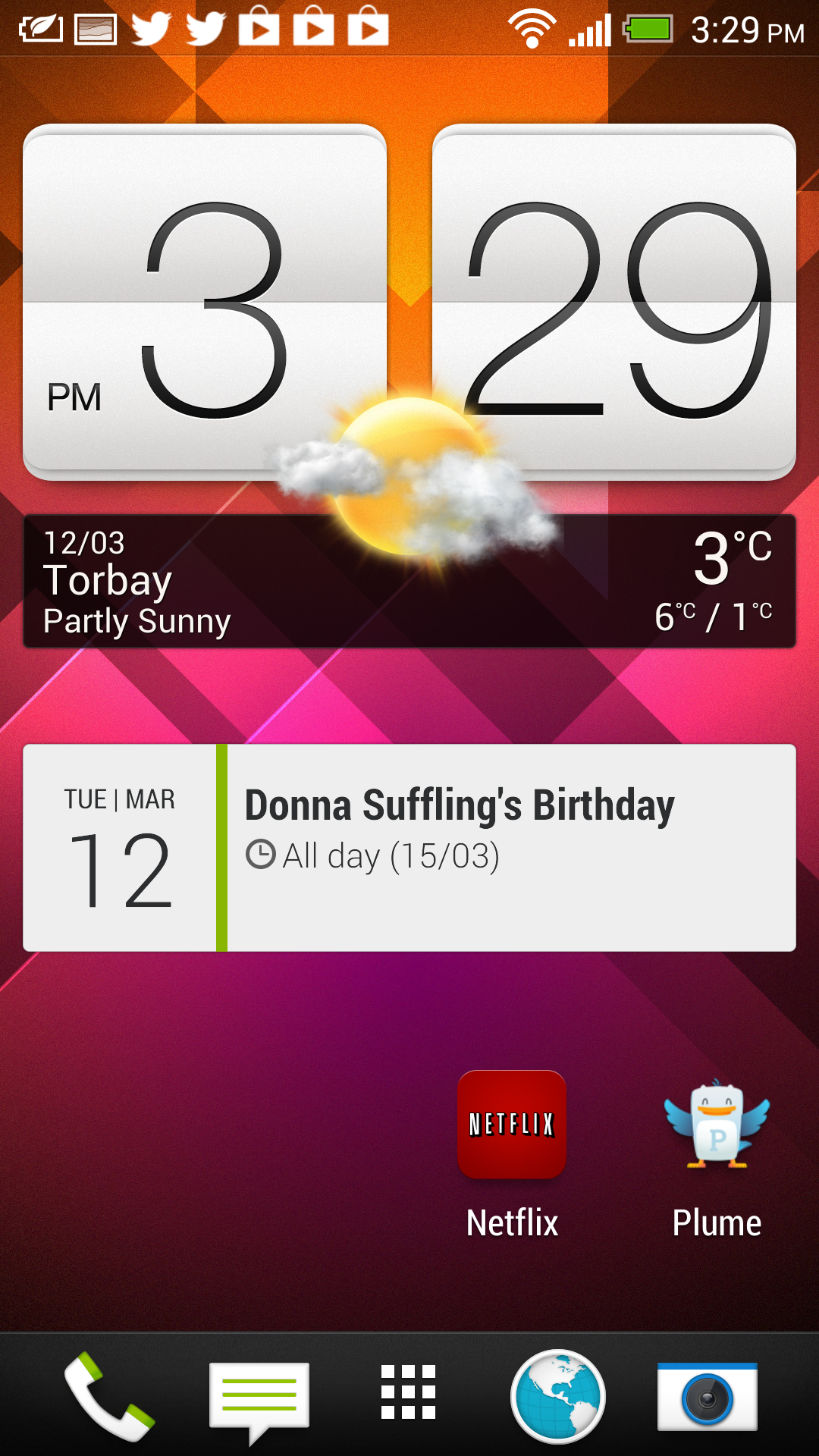

The great thing with this new version of Sense is you do not have to stick to BlinkFeed as your homescreen. Instead there is a very simple way of making a normal homescreen the main home and then swipe to the side if you want to access BlinkFeed almost like a shortcut to a special application.
To do this choose the option to manage your homescreen in settings, then drag the screen you want to the top where it says ‘Set as Home’ and there you have it.
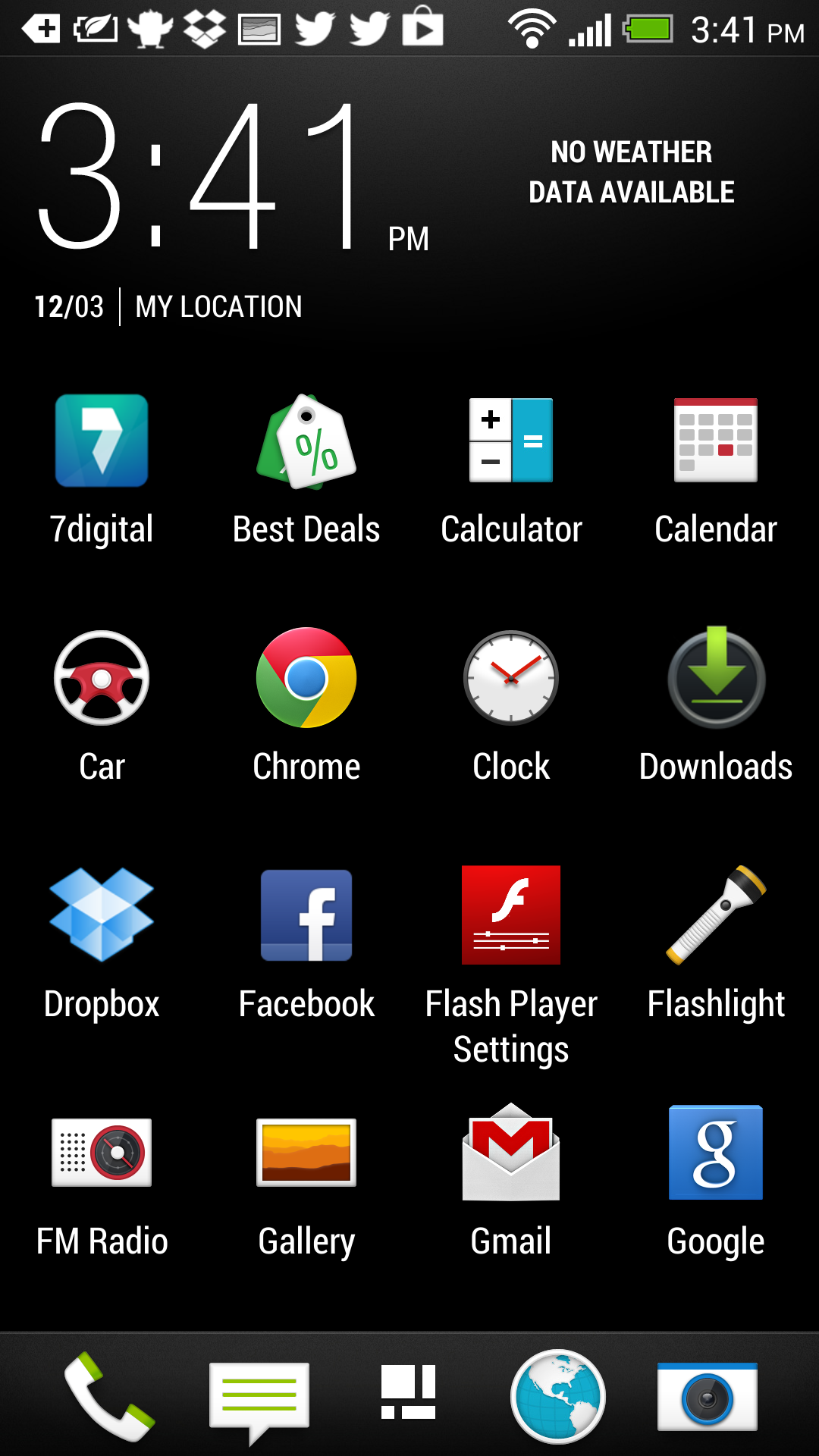
Something else which has changed is the main menu screen when looking at your apps. First of all the clock and weather stay at the top at all times taking up about 20% of the overall screen space.
Under this is a grid of icons for all your applications but at default this is set to a rather strange 3×4 style which leaves a lot of empty black space on the screen (see below)
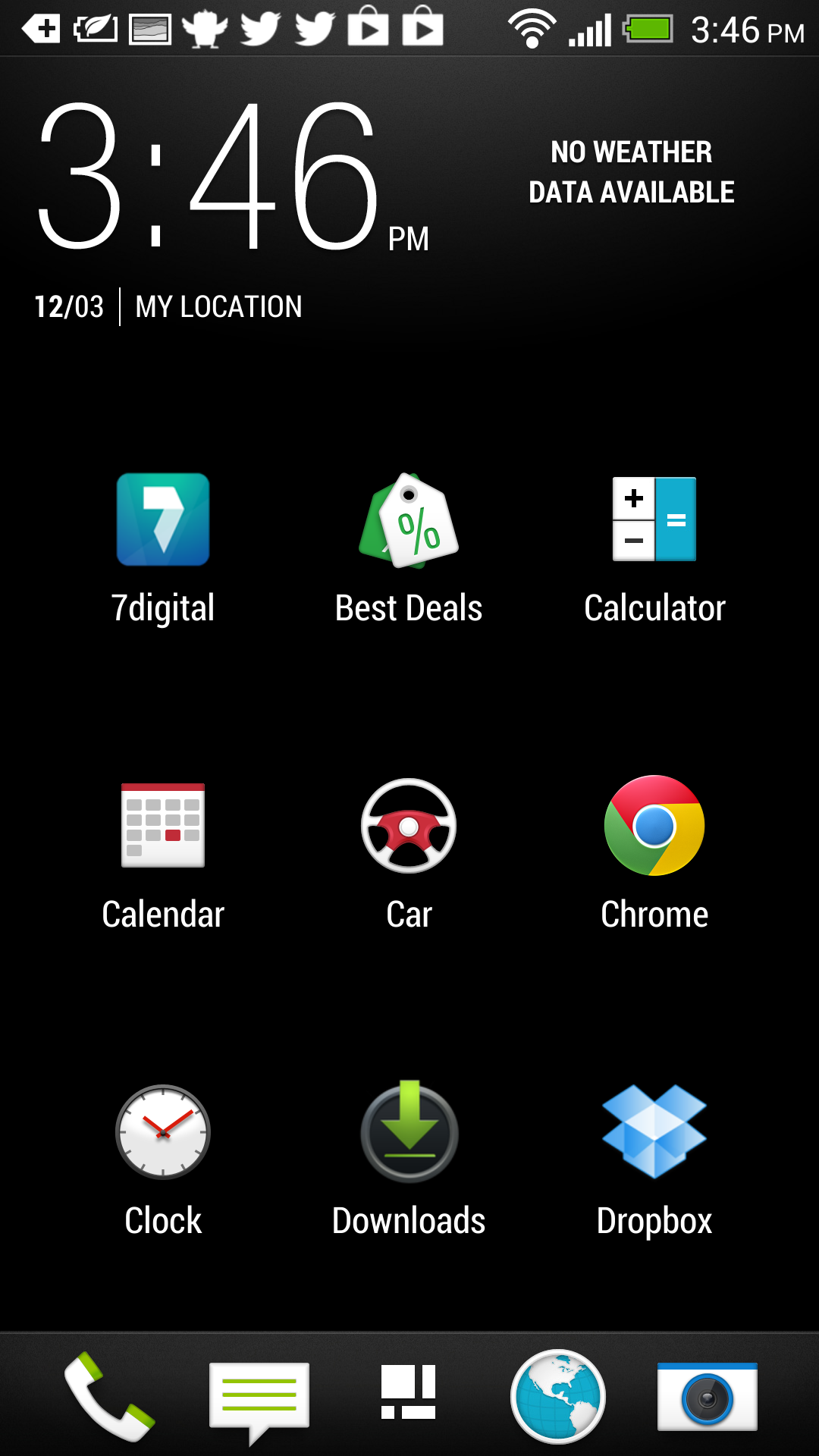 Thankfully this can be changed and you can go into settings on the homescreen and choose to change the grid back to 4×5 design which looks to make much better use of the large 5 inch screen and 1080p display (see below)
Remember though that BlinkFeed is built into the OS and is not a 3rd party application so although you do have the option to install other launchers such as Nova Launcher to customise it and never show the service, you are not able to remove it totally.
Normally I install Nova Launcher as the first application on any new phone, however with BlinkFeed being such an important part of the new version of Sense, and HTC spending a lot of time focussing on this I have decided to hold off…. for now at least and give it a fair chance to impress.
Stay tuned for more coverage on the new HTC One.
whats with the blinkfeed not showing your location/weather, yet the old style htc clock widget does?